everyone starts from zero
Every lesson runs in front of you: the active line lights up, the terminal prints along and the drawing reacts. Then the animation pauses and asks you for the next step.
- 9 kinds of interactive exercise
- English, Portuguese and Spanish
- mistakes that teach, never punish
line by line
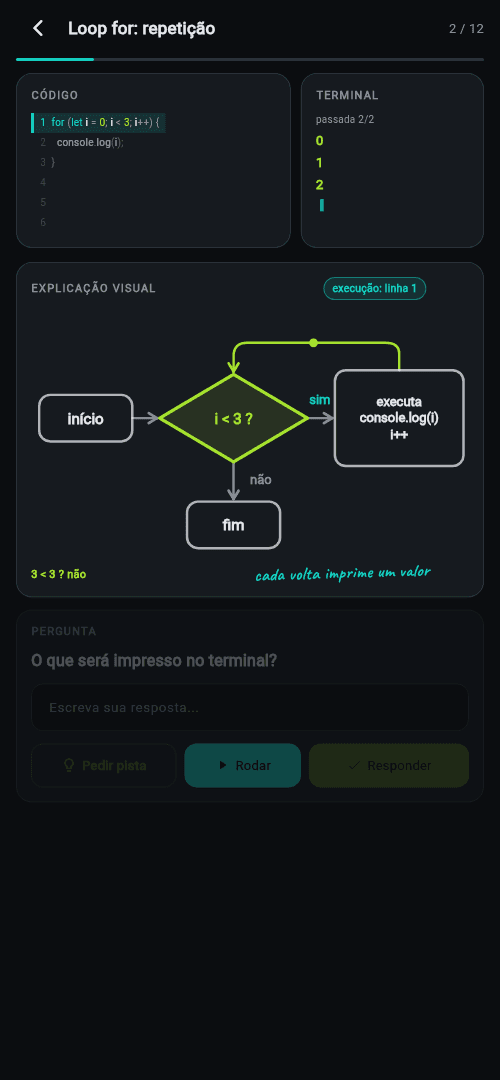
The code happens right in front of you
Code, terminal and diagram move together. The line being executed stays highlighted, the output shows up at that exact beat and the flowchart lights the path the program took. You don't read about a loop — you watch it spin.
hands on
You are the algorithm
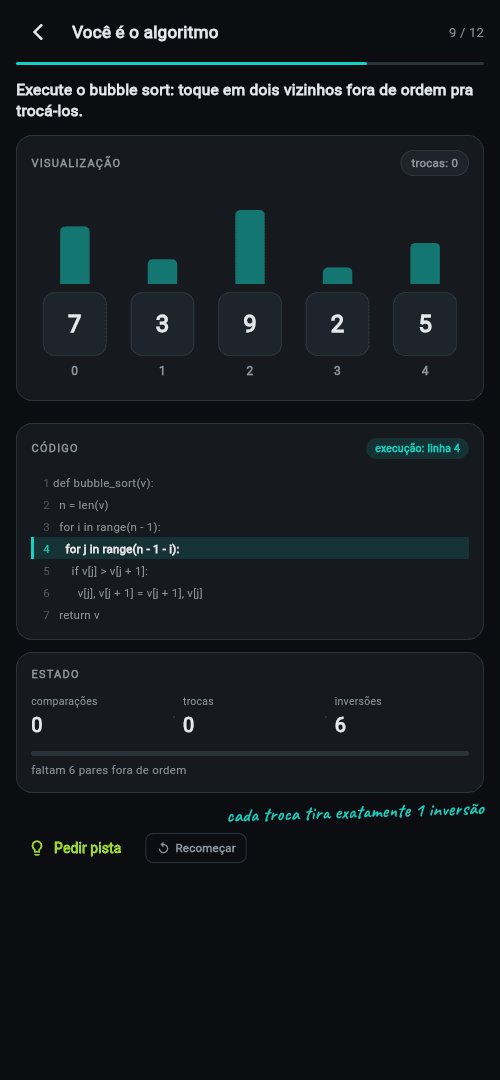
Instead of ticking the right option, you run it. Tap two neighbours that are out of order and bubble sort actually happens: the bars swap, the inversion counter drops and the code shows which line your finger just executed.
6 pairs out of order — clear them all
bug hunt
Debug Battle: find the bug, take the point
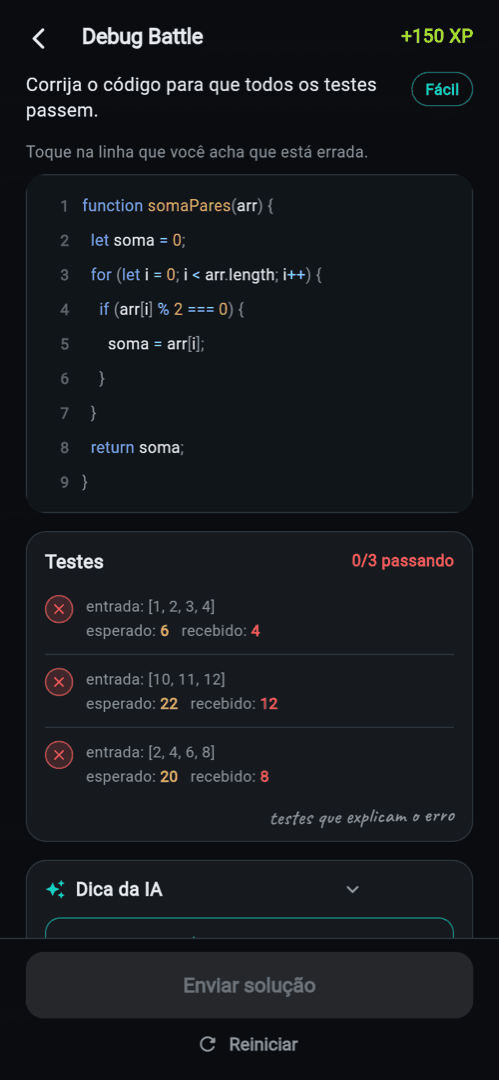
One broken function and a test suite in red. You tap the suspicious line, fix it, and the tests run one by one: ✗ turns into ✓ while you watch. Stuck? The hint hands you the reasoning — never the finished answer.
| Test | Before | After |
|---|---|---|
| sum of evens | — | ✓ |
| empty list | — | ✓ |
| odds only | — | ✓ |
the tests run one by one
no participation trophies
Achievements that actually mean something
No badge drops just for opening the app. Each one has a checkable rule: your first program that really runs, a bug fixed without revealing the solution, five challenges solved without asking for a hint. The weekly league is optional — leaving it erases nothing.
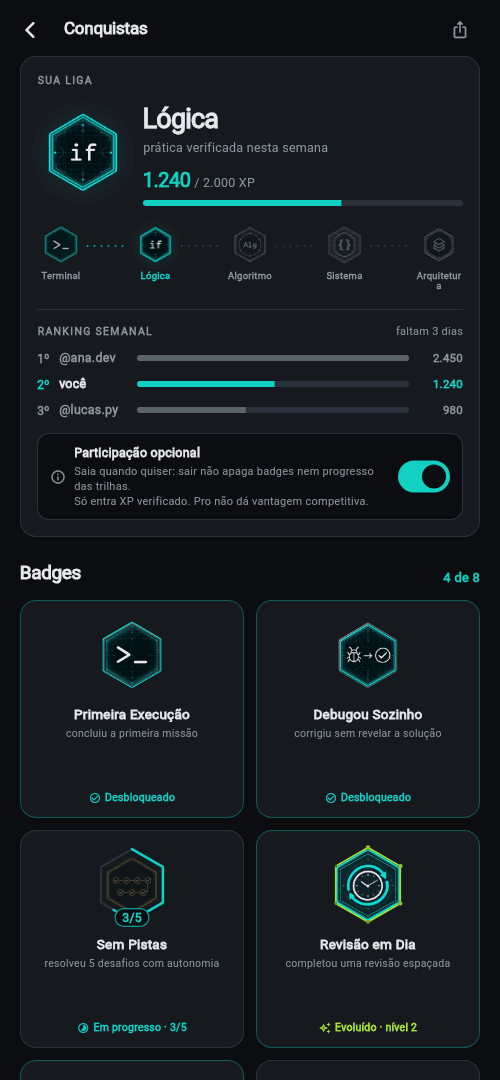
 First Runyour first mission actually executing
 Debugged It Alonefixed it without revealing the answer
 No Hints5 challenges solved on your own
earned bragging rights
Show how far you've come
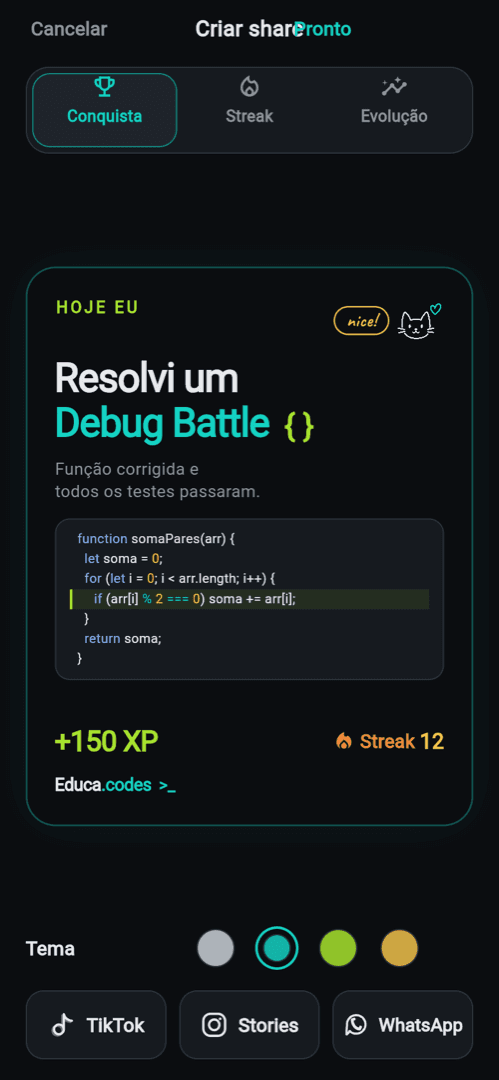
The app keeps your timeline: overall progress, a skill map lighting up as you go and the day's mission already waiting. And when you feel like showing it off, it builds the card of whatever you just solved — pick a theme and post it to TikTok, Stories or send it on WhatsApp. No crooked screenshots.
in pilot
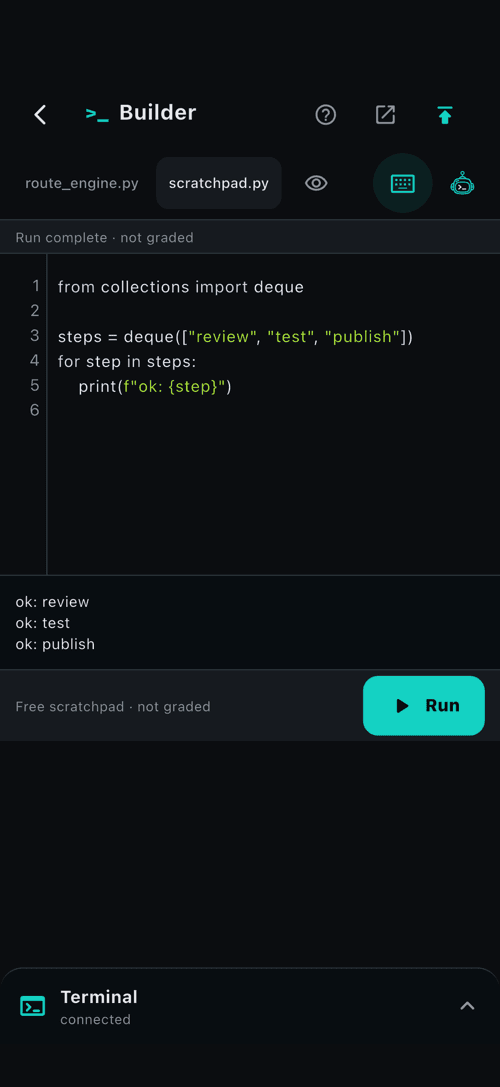
A place to test what you just learned
Write Python, run a scratchpad, and inspect the output in the terminal. If you get stuck, ask the learning agent for a short hint without leaving the lesson.
five minutes
A micro-lesson has three beats
Every lesson keeps the same rhythm: first you see it, then you run it, and only then you answer. No forty-minute video followed by copying code.
01
See
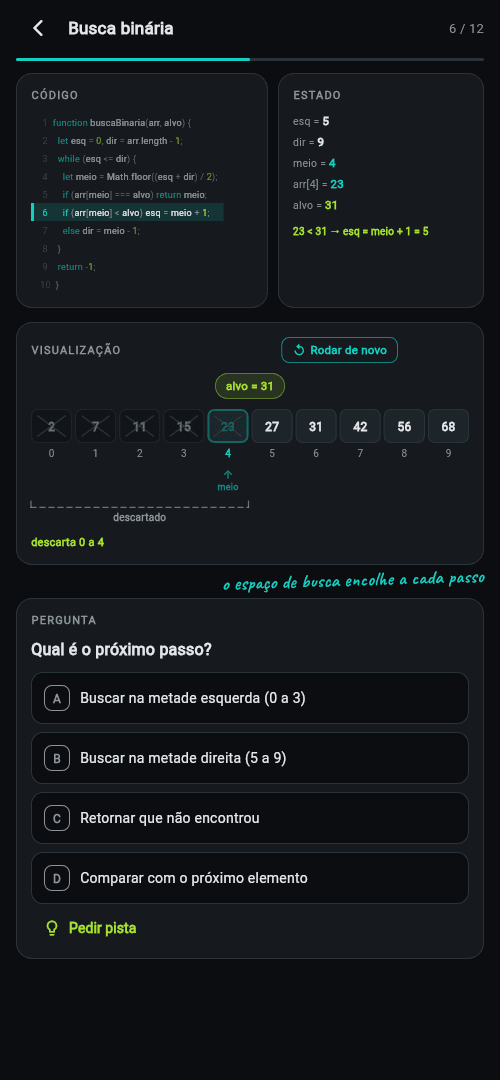
The idea shows up as a drawing before it becomes syntax. A loop is a flowchart spinning; a search is the space shrinking by half.
code
02
Run
The code executes step by step and the terminal prints on the same beat. Replay it as many times as you like.
terminal
01203
Get it
The animation pauses and asks for the next step. Missed it? The app shows where your reasoning diverged, not just that you were wrong.
question
What happens next?
Exit the loopCheck i < 3 again
before you download
The questions everyone asks
Missing one? Write to the address in the footer and we'll answer.
Do I need to know how to code already?
No. The path starts at variables, conditions and loops, always drawing the idea before showing the syntax. And if you do code, the short onboarding check skips what you already know instead of making you sit through the basics again.
Which language will I learn?
Logic first — it carries over to any language. Examples come in JavaScript and Python, the two most readable syntaxes for beginners, and what you understand about a loop holds everywhere else.
How much does it cost?
There's free content so you can test the method before paying anything. The Pro plan unlocks the whole catalog, and the store shows the price in your currency before you subscribe. No plan has ads.
Does it work offline?
Lessons you download run offline and your progress syncs as soon as you're back online. Ranking and verified achievements depend on that sync — practising offline always counts for learning, scoring needs validation.
What does a lesson actually look like?
A micro-lesson of about five minutes: see, run, get it. The animation plays, pauses and asks you for the next step. A few days later the same idea comes back as a spaced review — that's what makes it stick.
What age is it for?
It's built for teenagers and adults. Social features like ranking and the share card are optional and start switched off when age isn't confirmed; the minimum age follows the rules of your country.
come along
Next time you get stuck on some code, you'll know why
Download it now and start with the first lesson. Want a preview first? The method is on video on TikTok.